
ORCID at the University of Montana
ORCID ID is a persistent digital identifier that is unique to each researcher. ORCID allows you to link publications, employment and education, and research activities to your ORCID ID.
If you have any questions about ORCID, please send an email to Lauren Fritzsche.
What Your ORCID Record Can Do For You
Why create an ORCID ID?
ORCID IDs are the preeminent persistent digital identifier and are readily integrated into systems used by federal funders, publishers, institutions, and other research-related services.
An ORCID ID:
- Distinguishes you, facilitates disambiguation, and ensures your research outputs are correctly attributed
- Reduces data entry duplication
- Improves recognition and discoverability for you and your research
- Automatically updates your record as you publish
- Is interoperable: it works across funders, institutions, and publishers
- Is persistent: you can use it throughout your career
Learn more about ORCID for researchers on their website.
Setting Up Your ORCID ID
-
ORCID registration is free and takes less than a minute to set up. Once you are registered, you will have your unique 16-digit ORCID ID.
Once your ORCID ID is set up, authorize the University of Montana as a Trusted Organization (see guidance below on connecting your ORCID record to external systems). -
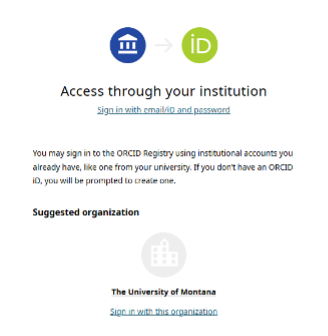
University of Montana researchers and staff can log into ORCID using your UM SSO log-in credentials, eliminating the need to remember another password. When logging in, be sure to select "Access through your institution."
-
If you have a profile in UM Impact, you can authenticate your ORCID ID in UM Impact, allowing you to seamlessly share and retrieve information between the systems. Detailed steps on how to do this are outlined on the UM Impact FAQ page.
-
To facilitate connecting data from external systems to your ORCID account, you can authorize the University of Montana and other entities, such as Crossref, as a Trusted Organization. To do so, follow these easy steps:
- Log in to your ORCID account
- Click your name in the top right corner and select “Trusted Parties”
- Authorize Access for the University of Montana, and other systems.
More information on granting permissions to trusted organizations is available on ORCID’s website.
-
Under the “Works” section in your ORCID record, there are 5 methods for adding your research output to your profile:
- Search & link
- Add DOI
- Add PubMed ID
- Import BibTex
- Add manually
Search & Link is the recommended method, allowing you to add works by directly importing links to your research output from other database systems. You can also follow instructions on the UM Impact FAQ page on importing publication data from UM Impact to your ORCID record.