

Student Technology at UM
-
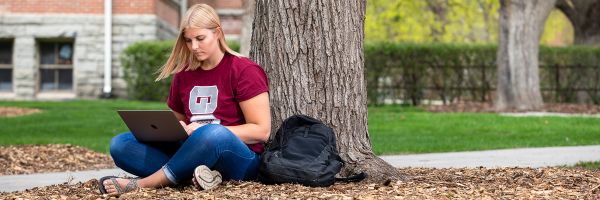
As a UM student, you have access to a variety of technology resources and services you'll use throughout your time here, including email, wireless internet, printing, and more!
Visit the UM Solutions Center for additional Tech Tips for New Student Success! Please note you must sign in with your NetID to request services or submit a help ticket.
-
Your University of Montana Login Credentials (NetID)
As a new University of Montana student, you will use a single login - your NetID - to access most campus systems and services, including GrizPortal, Canvas, UMConnect email, and campus Wi-Fi.
What is my NetID?
Your NetID is your primary login for most University systems.
- Format: Two letters (first + last initial) followed by six numbers (e.g., ab123456)
- NetIDs with an “e” on the end indicate UM employee status
Initial Password: Last six digits of your University ID (790#)
- Find Your NetID:
- Use the NetID lookup tool with your last name and date of birth
- Or select “What is my NetID?” on any login page
Reset Your Password:
- Use the password reset tool and answer your security questions
- Or select “I don’t know my password!” on a login page
University ID (790#)
Your University ID (also called your 790#) is used for identification.
- Why it matters: Needed for your first NetID login
- Where to find it: On your Griz Card or in your acceptance materials
-
Step 1: Find your NetID
If you don’t already know your NetID, use the NetID Lookup Tool on the UM website or refer to your admissions/acceptance materials.
Step 2: Go to the UM login page
Navigate to the official UM login portal (commonly used for GrizPortal and other systems).
Step 3: Sign in
- Enter your NetID
- Enter your temporary password (last six digits of your 790 ID)
Step 4: Create a new password
You will be prompted to:
- Create a new secure password
- Set up security questions (if applicable)
- Complete multi-factor authentication (Duo, if prompted)
Need Help? Contact the Help Desk
If you have trouble logging in or cannot locate your NetID or password, please contact the UM IT Help Desk:
- Call: (406) 243-HELP (4357)
- Email: ithelpdesk@umontana.edu
- Stop by the service desk on the main floor of the Mansfield Library, open Monday–Thursday, 9 a.m.-noon & 1-4 p.m., and Fridays 9 a.m.-noon & 1-3 p.m. (Mountain Time) during the academic year. (Please note that the Help Desk hours vary during academic breaks.)
- Visit umt.edu/solutions to schedule an appointment, request services or search the Solutions Center at umt.edu/solutions.
-
UM uses Multi-Factor Authentication (MFA) as a second “factor” (like a mobile device, landline, or hardware token) to verify a person’s identity when they log in to UM resources. This adds an additional layer of security to our accounts and helps prevent bad actors from gaining access to our information.
-
EDUROAM
UM students and employees should use the secure eduroam wireless network for all UM-related activity. Eduroam not only connects you to UM's secure wireless network, it allows you to connect to wireless networks at many other institutions across the US and abroad using your UM login credentials!
- Username: NetID@umontana.edu (i.e. ab123456@umontana.edu)
- Password: NetID password
GRIZZLYGUEST
Visitors who don't have eduroam access can connect to UM's courtesy guest wireless network, grizzlyguest. The grizzlyguest network uses open, unencrypted transmissions, so it should not be used to send or receive sensitive information.
- View available wireless networks and select "grizzlyguest".
- Open a web browser. You should be redirected to a Guest User login page.
- Read the terms of use, then enter your email address and select the "I accept" button.
-
Your NetID and password provide access to many UM systems and services, including Canvas, GrizPortal, UMConnect and campus Wi-Fi.
Initial Password
When your account is first created, your temporary password is usually the last six digits of your 790 University ID number. You will be prompted to change this password the first time you log in.
Please note If you are a Dual Enrollment student, you may receive a notification that your password is expired or invalid. Please contact the HelpDesk for assistance.
Reset Your Password
- Use the password reset tool and answer your security questions
- Or select “I don’t know my password!” on a login page
Need Help?
If you have trouble logging in or cannot locate your NetID or password, please contact the UM IT Help Desk:
- Call: (406) 243-HELP (4357)
- Email: ithelpdesk@umontana.edu
- Stop by the service desk on the main floor of the Mansfield Library, open Monday–Thursday, 9 a.m.-noon & 1-4 p.m., and Fridays 9 a.m.-noon & 1-3 p.m. (Mountain Time) during the academic year. (Please note that the Help Desk hours vary during academic breaks.)
- Visit umt.edu/solutions to schedule an appointment, request services or search the Solutions Center at umt.edu/solutions.
-
UMConnect is your official University email account. Use your NetID and password to sign in, and check your account regularly for important University communications.
-
GrizPortal is your hub for student services. Use it to register for classes, view grades and transcripts, manage financial aid, pay bills and access other student services.
Use your NetID and Password to log in:
-
Canvas is UM's learning management system. Your courses may use Canvas for course materials, assignments, grades and other class information.
-
Students receive free access to Microsoft 365, with access for up to five computers and five mobile devices. Access is tied to your UMConnect account.
New students can expect to receive access shortly before their first semester begins.
-
Your Griz Card is your official University ID. It can be used for building access, campus recreation, athletic events, printing and purchases with UMoney.
-
What is PaperCut?
UM uses a printing system called PaperCut in many locations across campus. Print jobs can be submitted from computer labs - or from a personal device using the online PaperCut portal - and sent to the most convenient PaperCut printer on campus near you!
Where can I print at UM?
Various locations around campus provide PaperCut-connected printing services for a nominal fee that can be paid using your Umoney account.
How do I pay for prints?
Paying is easy: You can pay the balance using the Umoney account on your Griz card!
-
UM students have access to computer labs with computers, specialized software, printers and other technology to support their coursework.
-
Accessible Technology Services supports students in accessing and using digital content, course materials, websites, software, assistive technology and other University resources.
-
Student-Focused Services:
Need something else?
The UM Solutions Center can help with technology questions, troubleshooting and service requests, including software requests, wireless access and equipment checkout.
-
UM IT Help Desk
Not sure what to do? Start with the UM IT Help Desk. We can help with login problems, Wi-Fi, software, printing and many other technology questions.
Mansfield Library — Main Floor
406-243-HELP (4357)
Mondays–Thursdays, 9 a.m.–noon & 1-4 p.m.
Fridays, 9 a.m.-noon & 1-3 p.m.
Closed during academic breaks.
Walk-up support is available at the technology support desk in the Mansfield Library.
Find Answers
Looking for instructions or an answer to a specific technology question? Visit the UM Solutions Center to search for help articles or submit a request.
Popular student topics include:
- Accessing UMConnect
- Finding your NetID
- Resetting your password
- Setting up multi-factor authentication
- Connecting to wireless
- Reporting spam or phishing
- Printing on campus
Search Student Technology Help
Other Student Technology Support
Some students receive technology support directly from their college or department.
College of Forestry & Conservation IT
406-243-2449 | support@cfc.umt.eduCollege of Business IT
406-243-4282 | itsupport@business.umt.eduGriz Card Center
406-243-6943 | grizcard@umontana.eduNot sure who to contact?