
How to View Your Class Waitlist
Step One: Log in to GrizPortal
Use your netID and password.
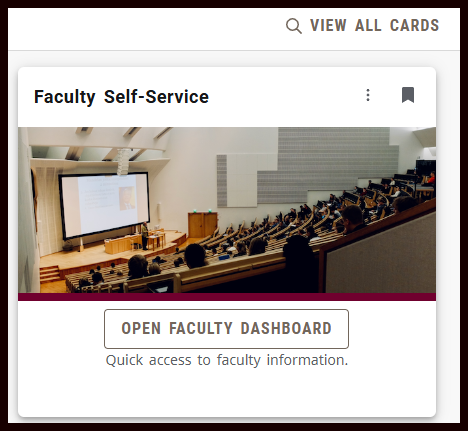
Step Two: Find the Faculty Self-Service card
If you don't see the Faculty Self-Service card, go to View All Cards.
Open your Faculty Dashboard.
Step Three: Choose Faculty Class List and Wait List
Step Four: Choose the class you want to view
All of your assigned classes will appear.
To find the course you want, you may filter by term, search, or re-sort using the up/down in the column headings.
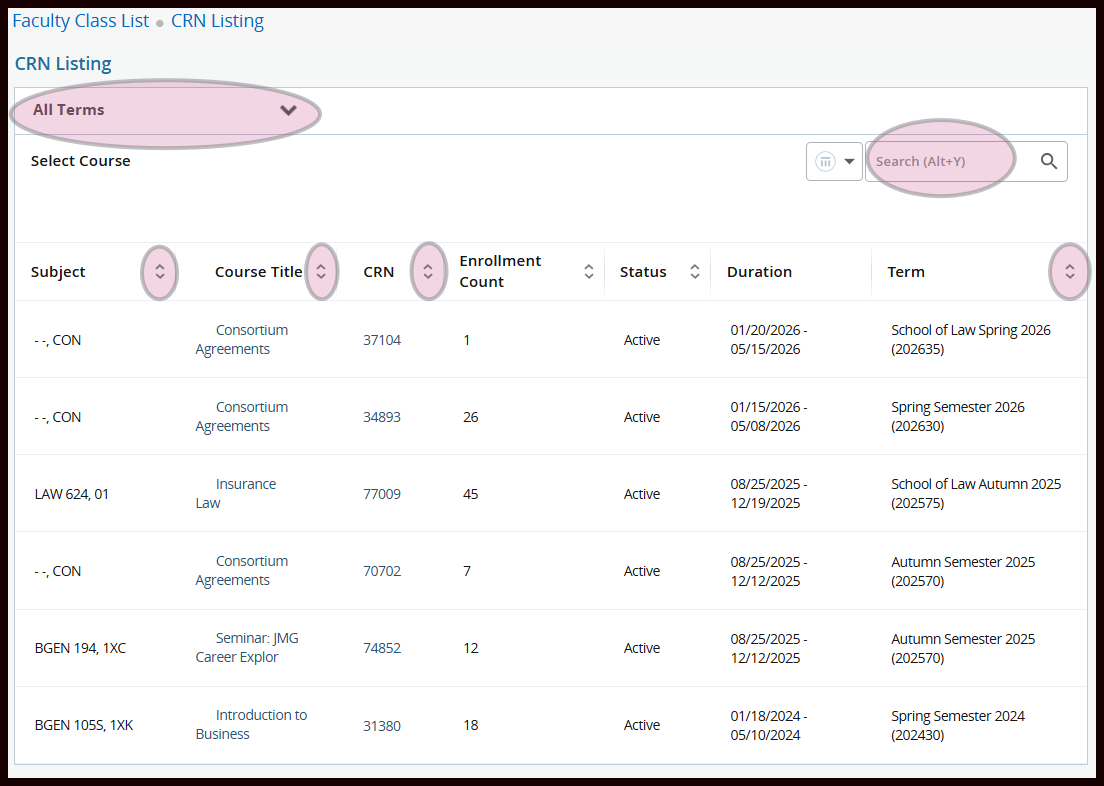
Click inside the class row.
Don't click the CRN or title URLs - they won't take you where you need to go.
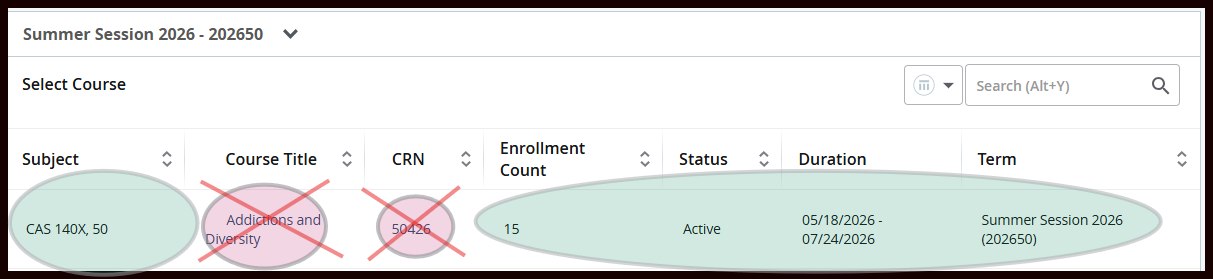
Click anywhere else in that row.
Step Five: Toggle between Class List and Waitlist
Your Class List with registered students will display by default.
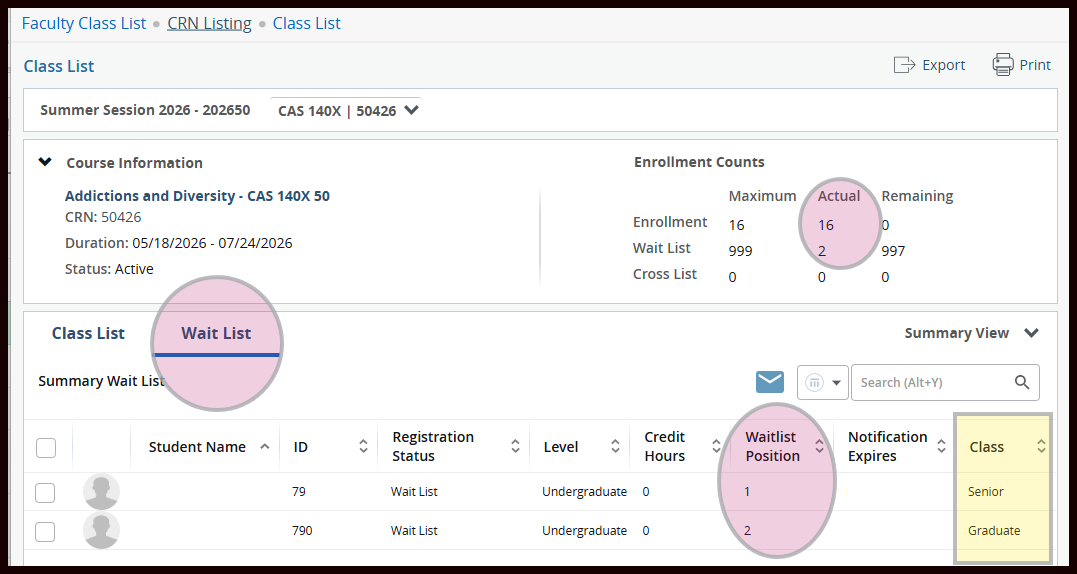
Toggle to Waitlist to view your waitlisted students.
Note your enrollment counts on top.
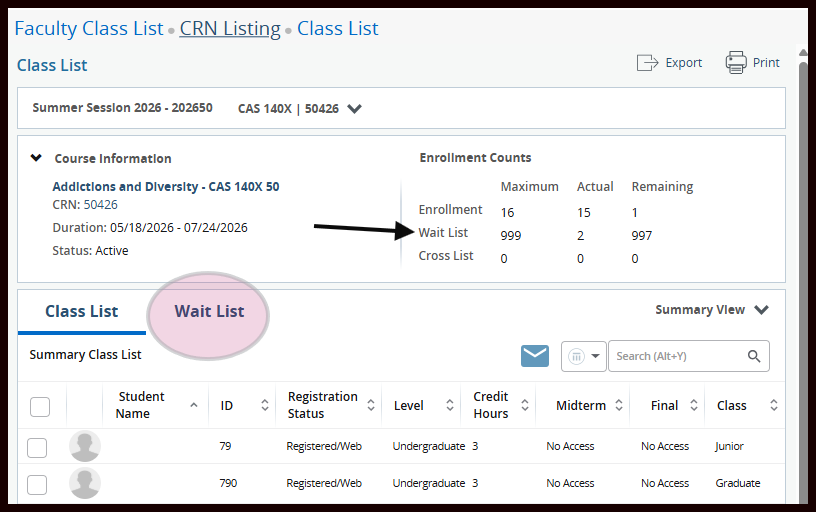
Step 6: Review your Waitlist
Your waitlisted students display here with their waitlist position.
Waitlists operate on a first-come, first-served basis until they are released by the Registrar's Office.
Waitlist Scenario
This example displays two students on the Actual Waitlist.
Another student drops the class, opening their seat for the next student in line.
The Remaining Enrollment increases from zero to one, but the Actual Waitlist stays at two.
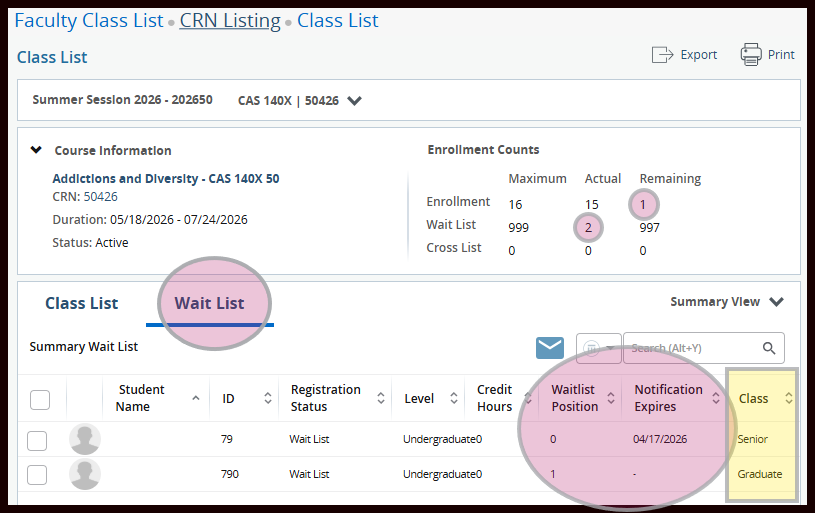
The one seat in Remaining Enrollment is now reserved for the senior student at the top of the waitlist.
Any other student who tries to register for that seat will be prompted to join the waitlist.
The senior student is sent an automated email directing them to register for open seat within 72 hours.
Since the senior was notified they could register for the class, they moved into waitlist position zero.
The graduate student moved up to waitlist position one.
The graduate student will only be able to register if:
- the senior does not register for the seat,
- a different student drops the class,
- the class maximum enrollment is boosted to 17, or
- they are granted a Closed/Full Course Override after waitlists are released.
Note: There may be some lag after a notification expiration before your waitlist refreshes and the next student is notified.