
Submit a Semester Request
Each term, submit a Semester Request in the ODE portal to activate your approved academic accommodations. This process lets you:
-
Choose accommodations relevant to your courses
-
Customize your accommodation letter by course
-
Send the letter directly to your professors
Law students
If you attend the Alexander Blewett III School of Law, follow the Law School semester request process instead.
Autumn 2026 submission dates
August 17 through November 30, 2026
How to submit a Semester Request
Step 1: Log in to the ODE portal.
Select Accommodations from the main menu.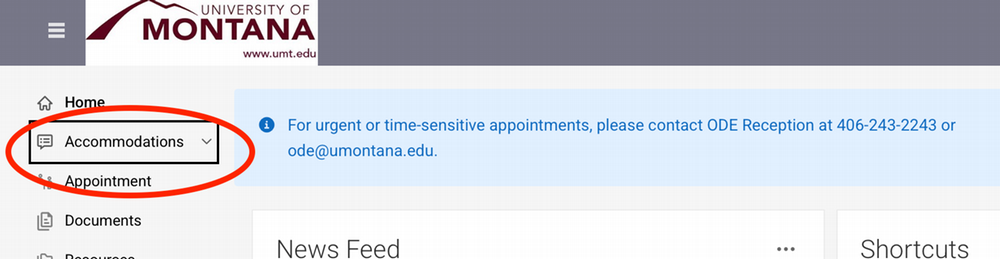
Step 2: Select Semester Request.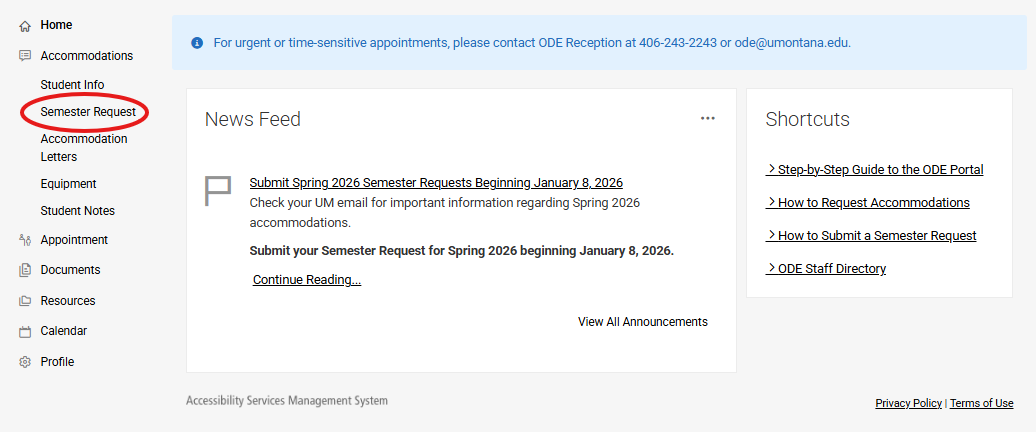
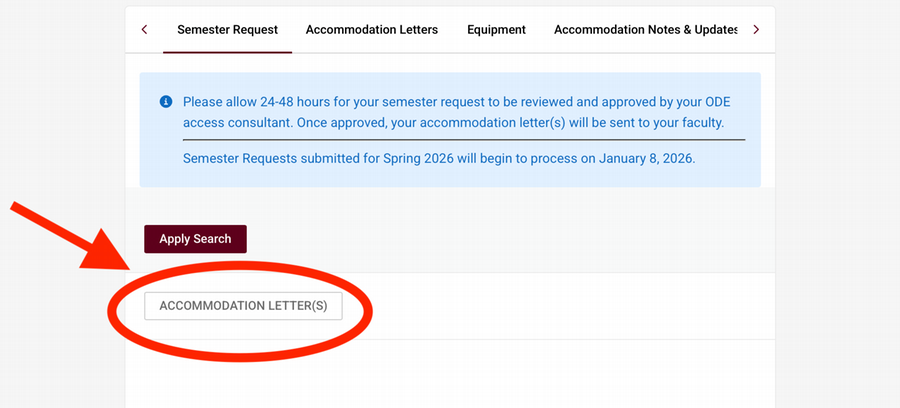
Step 3: Select the ACCOMMODATION LETTER(S) button below the Apply Search button.
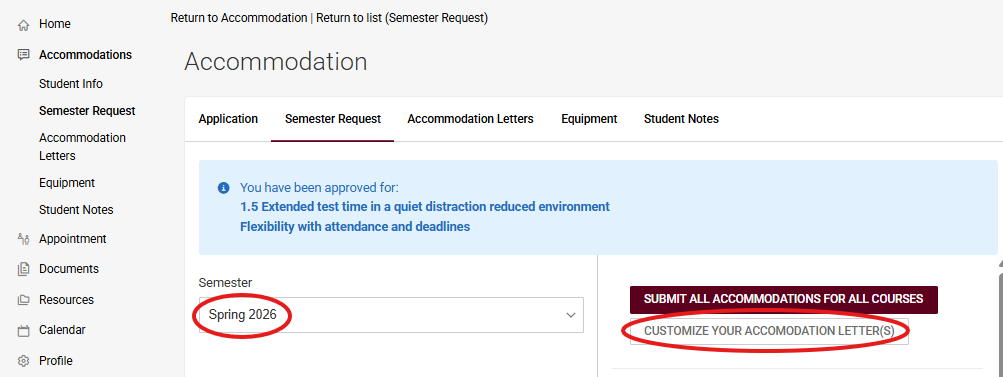
Step 4: Select the correct semester and then the CUSTOMIZE YOUR ACCOMMODATION LETTER(S) button.
Step 5: Select or deselect which courses you would like to apply your accommodations to.
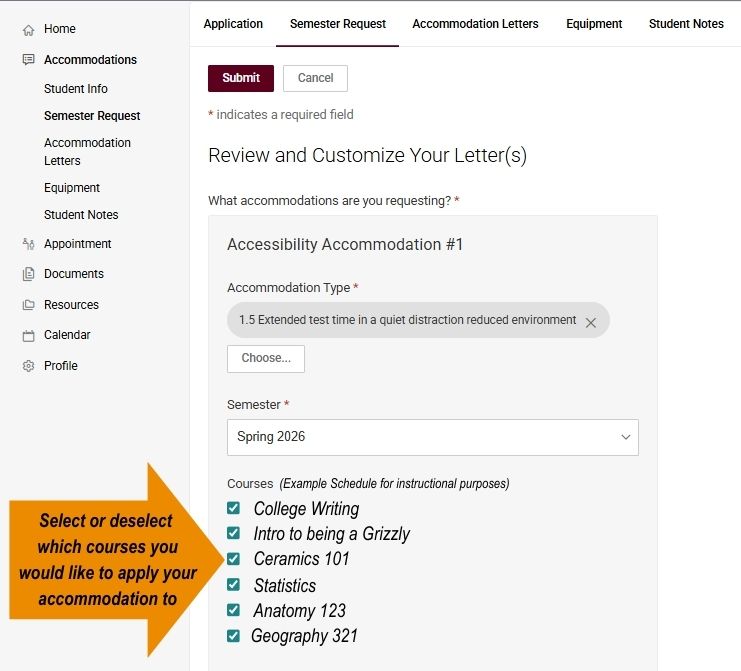
Step 6: Click Submit to complete your request.
After you submitted
- Please allow 3 - 5 days for your semester request to be reviewed and approved by your ODE access consultant. Once approved, your accommodation letter(s) will be sent to your faculty.
- You will receive an email when your accommodation letter(s) are sent to your professors.
- After delivery, please follow up with your professors to discuss your accommodations. Refer to Steps 3 and 4 on the approved accommodations webpage.
Did you add a course later? Submit again.
Your Semester Request only covers the courses at the time you submit it. If you add a new course afterward, submit a new Semester Request for that course. If you skip this step, that faculty member will not receive your letter.
For non-academic accommodations
You do not need a semester request for non-academic accommodations like the use of an emotional support animal (ESA) in housing, dining, or disability parking. However, for:
- Disability parking decals: Contact your access consultant.
- Alternative classroom furniture: Contact your access consultant.
- Alternative formats of textbooks: Submit your request to Accessible Technology Services (ATS).