Help Contact
Please contact the HRS Recruitment Office for questions related to the Role Description Form. However, first please review the help guide below for information. If you cannot find a solution to your question, contact staffjobs@mso.umt.edu.
General Information
Form Type
Choose a Form Type applicable to your needs. The options are as follows:
- New Position
- Revised Role Description for Incumbent
- Vacant Position
Employee Search
Searching for employees is available when Revised Role Description for Incumbent is chosen as the form type. The employee search allows a user to find an employee by their 790 or by their name.
For the name search, a partial search is conducted based on the first name and last name. Only a set number of results are returned when a user clicks the SEARCH button. If you don't see the person you're looking for, try using the full last name and a couple letters of the first name.
Revising an Existing Role Description
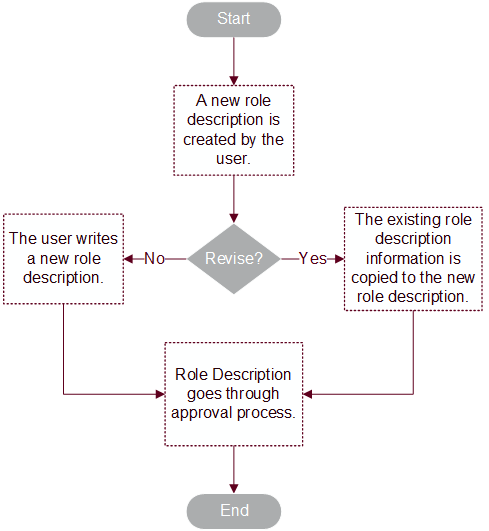
The option to revise a role description becomes available after entering the position number. Once the position number is entered, U-Approve automatically searches for all approved role descriptions tied to this position and displays the results. Role descriptions are pulled in per employee, so it is possible to have more than one role description for a position number. Select View to open the role description in a new window, or Select to revise the role description.
The following flowchart illustrates the Role Description revision process.
Form Requirements
The form can only be submitted when all required fields have been entered. Like all U-Approve forms, if the SUBMIT button is not enabled, then a requirement hasn't been met. Please save your form before reviewing it for errors.
If the SUBMIT button is not enabled, additional requirements that must be met. An example of a check like this is to the check to ensure all required fields have information saved.
Routing Requirements
Routing requirements are based on Form Type. If Revised Role Description for Incumbent is chosen as the form type, the employee route is filled in using the Employee Search tool. The Supervisor and Dean/Director/Designee routes must be filled in prior to approval.
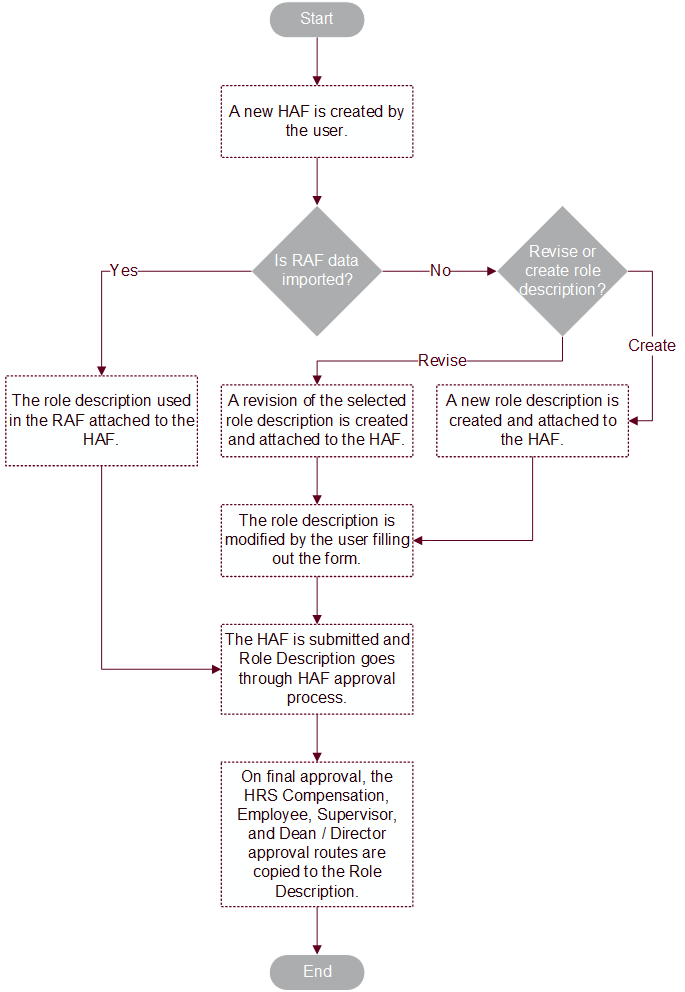
Recruitment Authorization Form and Role Description Approval Process
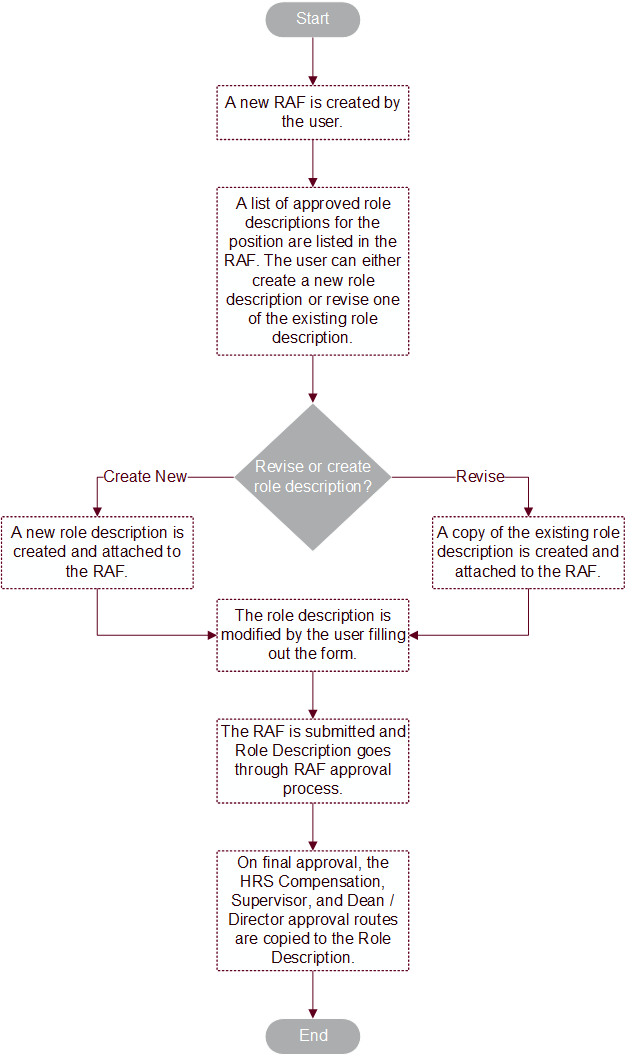
Hiring Authorization Form and Role Description Approval Process